


Swotzy seamlessly integrates with your Magento store, centralizing all your orders into a single, easy-to-use dashboard. Gain instant access to discounted carrier rates, automate the creation and printing of shipping labels, and enjoy full visibility with real-time shipping analytics.
Sign Up
Connect your Magento store to Swotzy with just a few clicks. Once a customer places an order, it’s automatically imported into Swotzy, where you can easily manage, process, and track it.
Connect Magento
It takes just a couple of minutes—no setup experience needed.

Every new Shopify order is automatically synced to Swotzy. No manual imports, no data entry.

Define your preferences once. Swotzy handles carrier selection and label creation automatically.

Access Swotzy’s discounted rates with zero commitment, or connect your own carrier contracts.
































Your customers are everywhere—your shipping should be too. With Swotzy, you can create export and import shipments to almost any destination worldwide. Access fast, reliable carriers and the region’s widest parcel-locker network, and ship anything from single parcels to full pallets.












Simplify your shipping with low rates, easy order management, and an intuitive, all-in-one platform.
Sign Up and Check Rates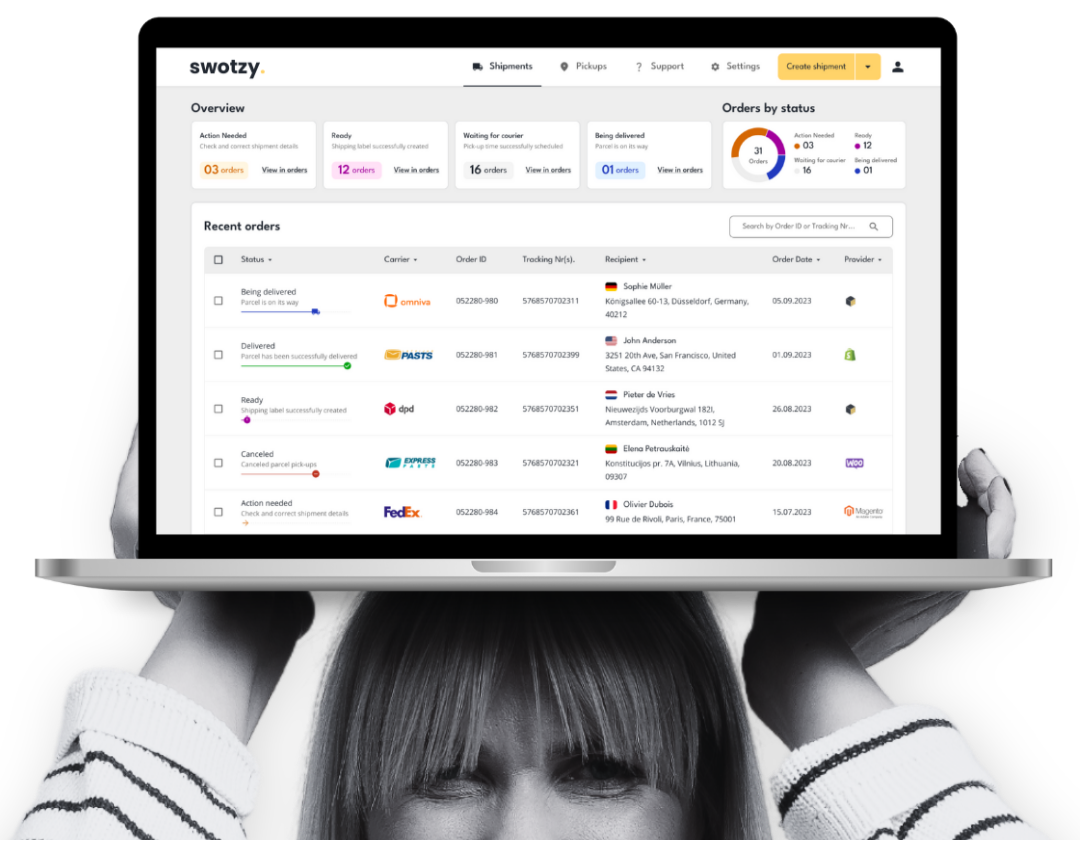
No matter where you are in your e-commerce growth, save on shipping costs, manage global deliveries efficiently, and simplify every part of your shipping process. Here are your trusty tools.
Explore how online stores simplify shipping, save time, and manage deliveries from one platform with Swotzy.
Explore all customer stories


In Magento admin, go to Integrations → Add New Integration, give it a name (for example, “Swotzy Integration”), and in the API section, enable the “View” resource as well as access to “All Stores” and “General.”
Then in Swotzy, navigate to Integrations → Stores → Magento, enter your Magento URL and the Access Token you generated, and connect the platforms.
Yes. After integration, all customer purchases from your Magento store are automatically sent to Swotzy, which replaces manual entry of shipping data.
In Swotzy, go to Integrations → ⚙︎ (settings) next to your Magento store. Here you can set:
In the Swotzy integration settings, you can add an action:
1. Click + New Action → paste the exact name of the shipping method from your Magento checkout.
2. Set Matching Type to “Exact.”
3. Under Action Type, choose Find Closest parcelshop → select the courier whose parcel lockers you want to use.
This ensures that Swotzy will automatically pick the nearest parcel locker (within a ~5 km radius) for your customers’ address.